
Loading...
8/28/2025
By: Abdul Wasay

Did you know nearly 94% of professionals think a good email signature boosts a company’s image? This shows how important a company email signature is in business talks. A professional signature in email is more than just a formality. It’s key in showing your company’s identity and sharing important contact details.
Done right, it’s a strong marketing tool. It sends a consistent brand reinforcement message with every email.
A well-made company email signature is key to looking professional. When people see a neat and useful signature, they think you’re detail-oriented and serious.
Email signatures give people your contact info easily. This makes talking and sharing info easier. It also makes sure important details are always easy to find.
Good signatures also promote your brand. They help make your brand more known. This is important for keeping your company’s image strong in every email.
| Aspect | Impact |
|---|---|
| Professional Email Presence | Boosts how reliable and professional you seem. |
| Effective Communication | Makes it easy to get in touch with you. |
| Company Signature Optimization | Helps your brand stand out and feel real. |
To wrap it up, a good company email signature does more than share your contact info. It’s a powerful tool for building your brand, gaining trust, and making communication smooth in the business world.
Creating an effective email signature means adding several essential elements. These elements help with both function and branding.
First, comprehensive contact details are key. Include your full name, job title, email, phone number, and social media links. This makes it easy for others to get in touch with you.
Next, add company details. This includes the company name, address, and website. These details build trust and recognition with your contacts.
Keeping consistent branding in your email signature is crucial. Use the company logo, stick to colors and fonts. This strengthens the company’s brand and keeps your messages looking professional.
Making a good email signature is key to show you’re professional and keep your brand in mind. Follow these signature design guidelines to make a signature that looks good and is easy to read.
Keeping it simple is important for email signatures. A clean layout makes it easy to read and find important info. Don’t overdo it with too many logos, social media links, or taglines. Use clear hierarchy to help the reader find what’s most important.
Picking the right font is key for both looks and readability. Choose fonts that are professional, easy to read, and match your brand’s voice. Arial, Times New Roman, and Calibri are good choices. Stay away from fonts that are too fancy and might take away from your message.
Using your company’s colors in your email signature helps people remember your brand. Pick colors that are part of your brand’s identity to show consistency and professionalism. Make sure the colors you choose fit well with signature design guidelines and don’t make the signature hard to read.
| Best Practices | Benefits |
|---|---|
| Simple and Clean Layout | Enhances readability and accessibility |
| Appropriate Font Choices | Maintains professionalism and readability |
| Use of Company Colors | Reinforces brand recognition |
Choosing the right email signature format is key. You need to think about how well it works and how it looks. Formats like HTML, plain text, and RTF each have their own strengths and weaknesses.
HTML: HTML signatures are the most flexible. They let you add images, logos, and links easily. They look great on most devices, but you might need to test them on different platforms to avoid problems.
Plain Text: Plain text signatures are simple but work everywhere. They’re perfect for making sure your contact info is always seen. They support basic styling but don’t look as fancy.
RTF (Rich Text Format): RTF is a mix between HTML and plain text. It lets you change font styles and bold text but might not work on all devices.
When picking a signature format, weigh the look against how well it works. Finding a balance helps your signature look good on all devices.
| Format | Visual Appeal | Compatibility | Preferred Use |
|---|---|---|---|
| HTML | High | Varies | Professional, branded communications |
| Plain Text | Low | High | Universal compatibility |
| RTF | Moderate | Moderate | Basic styled communications |
Understanding each format’s strengths and weaknesses helps create a signature that looks good and works well.
Using signature generation tools helps businesses standardize their brand and customize email signatures efficiently. These tools make creating signatures easy, offer many customization options, and keep all employee signatures consistent.
Email signature generators are easy to use, even for those not tech-savvy. They have simple drag-and-drop interfaces. This makes it easy to add important details like contact info, logos, and social media links.
These tools let businesses customize email signatures to fit their brand perfectly. They provide many templates and design choices. You can change fonts, colors, layouts, and images to match your brand’s look.
Keeping email signatures the same for all employees is key for a unified brand. Signature generators help by using set templates. This ensures every signature looks the same, boosting brand recognition.
| Feature | Benefit |
|---|---|
| Ease of Use | Simple interfaces that make it easy for all employees to create signatures without technical skills. |
| Customization Options | Diverse design elements to ensure the email signature aligns with the company’s brand. |
| Consistency Across Employees | Predefined templates that ensure uniformity and enhance brand standardization. |
By using signature generation tools, businesses can make their email signatures consistent and professional. This improves their image and how they communicate.
Looking at real-world examples can give you great signature inspiration for your company’s email design. We’ve gathered a wide range of creative signature ideas from different industries. They show how to blend branding well and make the most of the signature space.
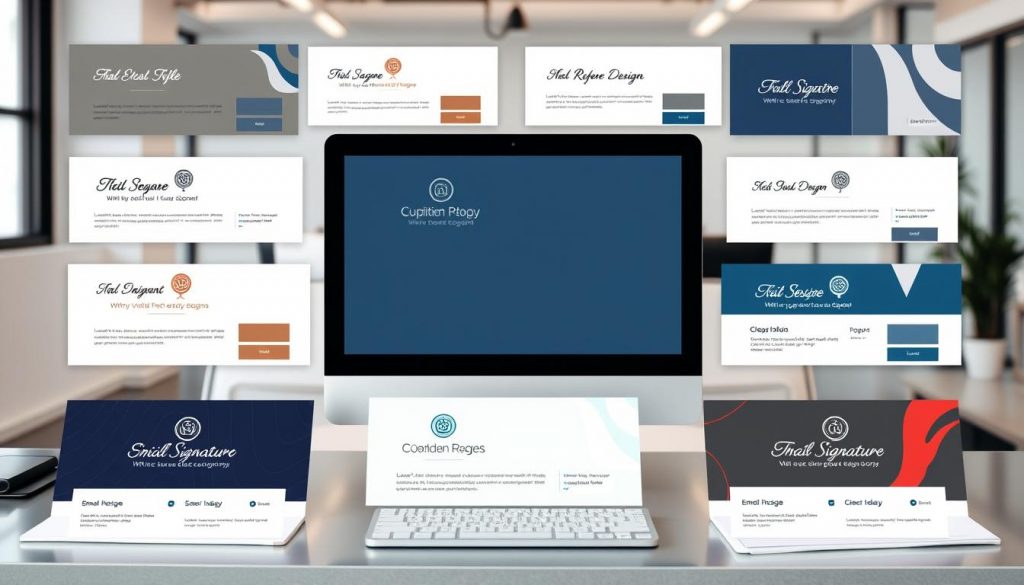
When you’re making your next email signature, think about these real-world examples:
| Industry | Example | Key Features |
|---|---|---|
| Technology | Minimalist design Company logo Linked social media icons | |
| Finance | Goldman Sachs | Professional headshot Contact details prominently displayed Compliance disclaimer |
| Healthcare | Mayo Clinic | Appointment scheduling link Healthcare compliance information Clean, approachable layout |
Each example gives you unique creative signature ideas for your industry. They show how to use email signatures to boost your brand and improve communication.
This guide will show you how to make a company email signature. We’ll cover three ways: using email software, an online generator, and HTML signatures.
Setting up an email signature is easy with your email software. Outlook, Apple Mail, and Gmail all have signature settings. Just go to settings and find the signature section. There, you can add your contact info and brand elements.
Advantages:
Limitations:
Online generators make creating email signatures easy. Sites like HubSpot and WiseStamp have templates and guides. They let you add your info and pick designs.
Advantages:
Limitations:
For full control, make a custom HTML signature. This lets you design exactly how you want. You’ll write HTML code, add images, links, and styles with CSS.
Advantages:
Limitations:
Choosing the right template selection for email signatures is key. It should match your company’s branding and look professional. Industry-standard templates are a good start. They have layouts that follow best practices.
Personalizing your email signature is important. You can change fonts, colors, and layouts to fit your needs. This makes your signature unique and shows off your brand’s identity.

| Template Type | Advantages | Disadvantages |
|---|---|---|
| Industry-standard | Proven layouts, professional look | Limited customization |
| Customizable | High personalization, brand alignment | May require more setup time |
The best template for you depends on your business needs. It also depends on how important personalization is to you. And how much you want to follow industry-standard templates.
This guide shows how important a good company email signature is. It helps businesses improve their brand and make contact info easy to find. Every detail, from the design to the layout, is key to looking professional.
Creating a great signature means picking the right look and using company colors. It’s also important to keep it the same for all employees. Tools like email signature generators make it easy to keep everything consistent.
Having a well-thought-out email signature is crucial for business communication. By using the tips from this guide, companies can make a strong impression. Start using these best practices to make every email count.
A company email signature is key for showing your brand’s identity. It leaves a lasting impression of professionalism. It also gives out important contact info. Plus, it can act as a marketing tool, boosting your brand with every email.
A professional email signature makes communication better by sharing vital info like contact details and company branding. It shows you care about details and professionalism. This can help improve your business’s reputation.
A good email signature should have your contact info, like name, job title, and email. It should also have company details, such as the logo and website. Keeping branding consistent is important.
For a great email signature, keep it simple and clean. Choose fonts that send the right message. Use company colors to strengthen your brand. This makes your signature look good and work well.
When picking an email signature format, think about how it looks on different devices. It should look good on both phones and computers. Finding a balance between design and technical needs is key.
Email signature generators are easy to use and offer many customization options. They help keep all signatures looking the same. This makes creating and managing signatures simple and consistent.
Yes, looking at examples from different industries can inspire you. These examples show creative ideas and how to use space well. They highlight the best practices in email signature design.
You can make an email signature in your email software, with a generator, or by coding it. Each method has its own benefits. Choose what works best for you and your skills.
To find a good email signature template, look for ones that fit your brand and can be customized. Choose templates that match your email system and show off your company’s identity. They should also be flexible for personal touches.